Home
 Pricing
 VPN Servers
 VPN Apps
 Help
How to Choose the Right Southeast Asia VPN: FlyVPN Server Guide (6 Countries, 9 Cities)
Whether you're running online stores, working remotely, or just trying to use local apps across Southeast Asia, having a stable local connection plays a key role. FlyVPN covers six key markets—Singapore, Vietnam, Thailand, Malaysia, Indonesia, and the Philippines. Every location comes with a static IP (meaning each server is assigned a fixed IP address that remains consistent when you reconnect), plus residential IPs in Singapore and Hanoi for smoother access to local platforms.
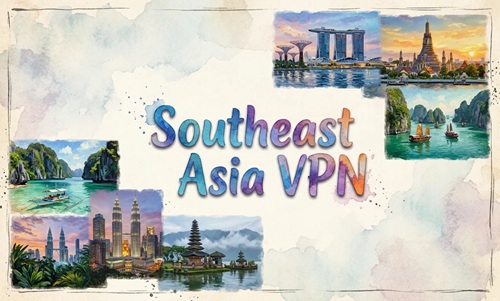
Southeast Asia Server Locations (6 Countries, 9 Cities)
Singapore: Singapore. The main network hub for Southeast Asia. With strong international routing, low latency, and residential IP options, it's a solid choice for regional work, online banking, and multi-market e-commerce.
Vietnam: Hanoi + Ho Chi Minh City. Two locations covering both ends of the country. Hanoi includes residential IPs, making it a good fit for local social media and e-commerce accounts that are sensitive to IP types. Ho Chi Minh City serves Vietnam's southern business hub with low-latency connections for trade and remote teams.
Malaysia: Kuala Lumpur + Penang. Kuala Lumpur covers the main commercial areas in central and southern Malaysia, handling most local e-commerce and everyday online services. Penang serves the north, offering better latency when connecting to services in northern Malaysia.
Indonesia: Jakarta + Surabaya. Jakarta is the center of Indonesia's online services and e-commerce. Surabaya, in East Java, serves as a fast gateway for accessing services in eastern Indonesia.
Thailand: Bangkok. As Thailand's main network hub, the Bangkok server is a great option for streaming local shows, using Thai apps, and managing local social media accounts.
Philippines: Manila. Manila is the central hub for online services in the Philippines, offering low-latency connections for e-commerce, remote support teams, and online gaming.
Which Server Should You Pick?
Base your choice on two things: where the service is located, and how strict it is about IP checks. If you're using platforms in Singapore or Vietnam and standard servers frequently trigger verification prompts, try switching to a residential IP. For everyday access to local sites in Thailand, Malaysia, Indonesia, or the Philippines, simply pick the matching country server.
FAQ
Q: Does my IP address change when I reconnect?
No. FlyVPN provides static IPs—each server location corresponds to a fixed IP address that stays consistent even after reconnecting, which is ideal when you need to maintain a steady network environment.
Q: How are the residential IPs in Singapore and Hanoi different from standard servers?
To websites and apps, residential IPs look closer to regular home internet connections. Because they carry higher baseline trust, they are less likely to trigger extra verification checks on platforms with strict IP detection.
Open the FlyVPN app, pick a Southeast Asian city from the server list, and connect in one click. (Note: Actual server availability and residential IP tags are subject to real-time display inside the app.)
Download FlyVPN